FPGA BOARDS
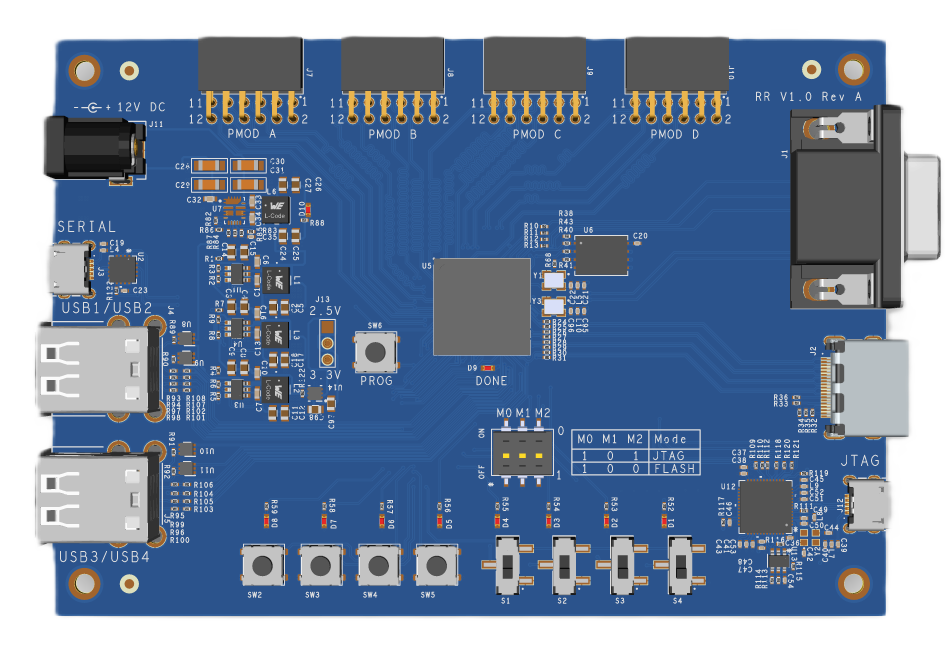
Spartan7 Retro Computer Board
Adaptive Design uses this board to recreate the Commodore 64 and Sinclair Spectrum. Its eight LEDs, four switches, and four push buttons also give you room to try your first FPGA circuits.
The board has an AMD Spartan-7 XC7S25 FPGA and built-in USB-JTAG programming. The board-only listing requires a separate 12 V power supply and micro-USB cable. The kit includes the power supply and two cables.
What to look for in your first board
For the LED counter, look for an onboard oscillator, four user LEDs, a reset button and a documented programming method. The board manual should give the oscillator frequency, LED polarity and exact pin assignments.
- Toolchain
- Check that the tools support the exact FPGA part and run on your operating system.
- Programming
- Check whether USB programming is built in or needs a separate adapter.
- Documentation
- Look for a schematic, a constraints file and a known working example for the board revision you plan to use.
FPGA VIDEOS
Watch FPGA projects take shape
Project walkthroughs and tutorials from Adaptive Design.
